Personel365
Personel365
Features

Personel365 features are ready with screenshots, workflows and module details

PDKS, QR, konum doğrulama, puantaj, izin, bordro, CV, yemek listesi, bildirim, mesajlaşma ve operasyon modülleri aynı panelde birlikte çalışır.

1

Setup

The company creates work profiles, QR points, leave rules and approval rules from the panel.

2

Daily usage

Employees scan QR, submit leave or service requests, and follow payroll and meal lists from a mobile-friendly screen.

3

Notification

New requests, messages or approval results are delivered instantly to the relevant user.

4

Reporting

The company monitors present, late, absent, on-leave and pending approval records from reports.

Product Tour

Manage your daily operations from one panel with Personel365

With QR time tracking, leave, attendance, payroll, meal lists and notification workflows, Personel365 provides a fast and organized experience for both company managers and employees.

Mobile Time Tracking and QR

Employees record check-ins and check-outs with QR, location and IP verification

QR points are created in the company panel. Companies can enable location verification or allow scans from anywhere with location-free QR. In the employee panel, QR Scan, check-in/out records and leave requests are accessible from one screen.
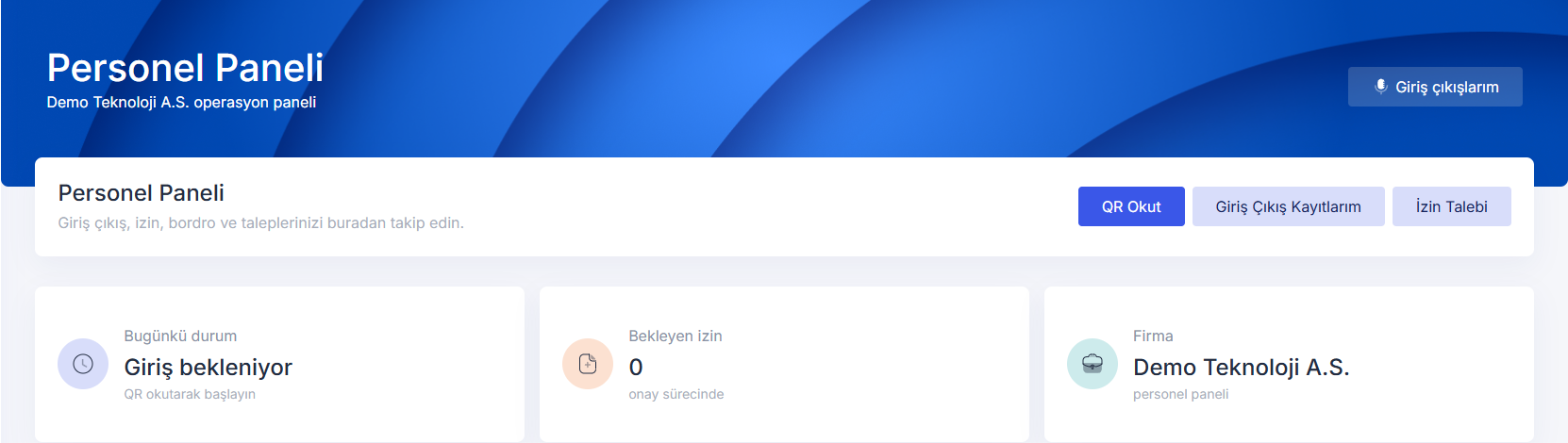
  • Location-based or location-free QR point
  • Map-based location selection and tolerance distance
  • Digital display and A4 QR print page
  • Confirmation popup for check-outs within the first 5 minutes
app.personel365.com
Mobile Time Tracking and QR ekran görüntüsü
Work Hours and Attendance

Present, late, absent and on-leave employees are separated instantly

Work start time, end time and late tolerance are defined by the company. The system evaluates QR scans according to this profile; employees with approved leave are not marked absent even if they do not scan QR.

  • Automatic attendance generation
  • Late and absent excuse collection
  • Daily and historical reporting
  • Overtime and holiday management
app.personel365.com
Work Hours and Attendance ekran görüntüsü
Employee Operations

Employees quickly access their own daily actions without company panel clutter

Employees only see their own sidebar and quick access screens. QR, leave, payroll, expense, advance, service request and messages open from one place; company management menus are not shown in the employee panel.
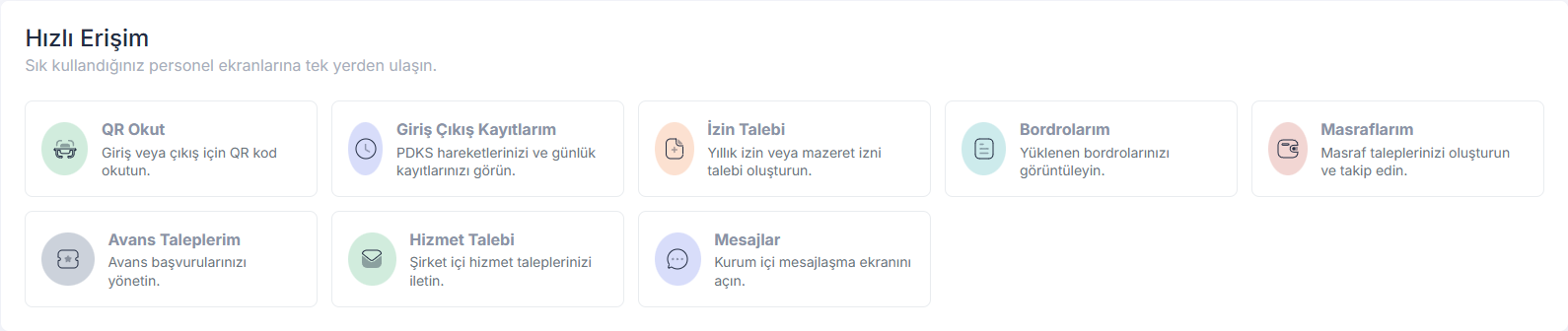
  • Personalized employee panel
  • Payroll and file viewing
  • Expense, advance and service request creation
  • Internal messaging and notifications
app.personel365.com
Employee Operations ekran görüntüsü
Leave and Approval Workflows

Annual, excuse and hourly leave requests go to approval from the mobile panel

When an employee creates a leave request, the company is notified. The company can approve, reject and optionally add a response note. Approved leave is automatically considered in attendance.

  • Mobile leave request
  • Hourly leave support
  • Approval and rejection note
  • Instant notification to the employee after approval
app.personel365.com
Leave and Approval Workflows ekran görüntüsü
Meal List

The company sets meal lists, employees see daily and weekly menus

Meal lists are defined by the company with a custom name and time range. The employee panel shows the daily and weekly meal plan, while the operations team updates the list from one panel.

  • Daily and weekly meal list
  • Time range definition
  • Display in employee panel
  • Clear information for empty days
app.personel365.com
Meal List ekran görüntüsü
CV, Payroll and Personnel Files

Employee information, CV details, payrolls and files are kept in one profile

The company manages employee personnel records; employees can update their own profiles, profile photos and CV information. Payrolls can be bulk uploaded and viewed by employees from the archive.

  • CV information and profile photo
  • Bulk payroll upload
  • Payroll archive and reporting
  • Position changes and file sharing
app.personel365.com
CV, Payroll and Personnel Files ekran görüntüsü
Module Coverage

Personel365 is not only time tracking; it offers end-to-end employee experience and operations management

Modules can be used individually, but the strongest part is combining leave, time tracking, attendance, messaging, payroll and operational requests in the same data flow.

Work Hours and Attendance Management

  • Mobile Time Tracking
  • QR-based time tracking
  • Location and IP verification
  • Multiple work profiles
  • Overtime
  • Tatil yönetimi
  • Automatic attendance generation
  • Late and absent excuse collection

Mola Yönetimi

  • Break profiles
  • Practical check-in and check-out
  • Flexible check-in and check-out
  • Mobile tracking
  • Reports
  • Record editing and deletion

Leave Management

  • Mobile leave requests
  • Leave approval workflow
  • Annual leaves
  • Excuse leaves
  • Hourly leave requests
  • Manager response note

Employee Bilgi Yönetimi

  • Personnel file management
  • Profile editing
  • Profile photo
  • CV information
  • Position change
  • File sharing

Payroll Yönetimi

  • Bulk payroll upload
  • Payroll archive
  • Employee viewing
  • Reporting

Shift Yönetimi

  • Flexible planning
  • Approval process
  • Shift change requests
  • Employee-based plan tracking

Zimmet Yönetimi

  • Asset assignment
  • Asset request and approval
  • Inventory tracking
  • Asset types

Advance Yönetimi

  • Digital advance request
  • Fast approval process
  • Payment plan
  • Expense offsetting
  • Reporting
  • Manager response note

Expense Yönetimi

  • Digital expense tracking
  • Category selection
  • Fast approval
  • Reports

Seyahat Yönetimi

  • Practical requests
  • Instant approval
  • Central control
  • Real-time monitoring

Araç Yönetimi

  • Reservation system
  • Request management
  • Mileage tracking
  • Insurance tracking
  • Maintenance and inspection tracking

Gifts and Motivation

  • Special day celebration
  • Gift creation
  • Shake and Win
  • Birthday gifts
  • Special gifts
  • Event management

Süreç Yönetimi

  • Onboarding process
  • Offboarding process
  • Employee process tracking

Ziyaretçi Yönetimi

  • Visitor registration
  • Visitor welcoming
  • Visitor reports

Engagement Yönetimi

  • Agenda and voting
  • Dynamic surveys
  • Multiple-choice and short-answer questions
  • Participant and non-participant lists
  • Response Duration
  • Events and announcements
  • Suggestions and complaints
  • Notification sending

Hizmet Yönetimi

  • Service requests
  • Service categories
  • Category selection
  • Request tracking

Şirket Yapısı Yönetimi

  • Multi-company management
  • Department and unit management
  • Organization and hierarchy

Internal Communication

  • Internal messaging
  • Instant notifications
  • Request notification
  • Approval notification
  • Message deletion

QR Points and Digital Display

  • Location-based QR point
  • Location-free QR point
  • Map-based location selection
  • QR printout
  • Digital display view
  • Company logo usage

Meal List

  • Meal list setup
  • Time range
  • Daily list
  • Weekly list
  • Display in the employee panel
Setup

The web panel is ready; the same module logic can be carried to Android and iOS apps

The company panel, employee panel, QR scanning, leave, payroll, CV, meal list, notifications and messaging workflows work on the web. The native mobile app phase can be built on this foundation.